ALGEBRA
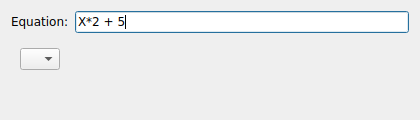
The ALGEBRA node is a transformer that evaluates a user-supplied algebraic expression on each incoming sample. It is a quick way to scale, offset, or otherwise process a signal without writing code.
Usage
Set the node’s Source to the node whose data you want to transform, then enter
an expression in the Equation field. The variable X refers to the incoming
sample value; for example, X*2 + 5 doubles the signal and adds an offset of 5.
Properties
Source: The node supplying the input samples.
Equation: The expression evaluated per sample. Use
Xfor the input value.Parser Error: A read-only indicator. When the equation cannot be parsed the equation text turns red so you can correct it.
For more complex, stateful processing (where a value depends on previous samples),
use the LUA node instead.