TOUCH_SCREEN
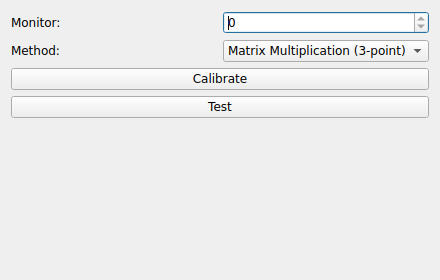
The TOUCH_SCREEN node maps raw touch coordinates produced by a touch device into
calibrated screen coordinates. It consumes a stream of raw (X, Y) points and
produces a transformed (X, Y) stream.
Properties
Method: The calibration model used to map raw points to screen points.
Matrix Multiplication (3-point): Solves a 3-point affine transform.Linear Regression (4-point): Fits a least-squares mapping from 4 points.
Monitor: Index of the monitor the touch surface corresponds to.
Transform: The current transform (3×3 matrix) applied to incoming points. It is populated automatically by the calibration routine but can also be inspected directly.
Calibration
The node widget provides Calibrate and Test buttons.
Calibrate: Walks you through touching a sequence of on-screen targets (3 or 4 depending on the selected Method). After each target, press any key to advance. When all targets have been collected the
Transformis computed and stored in the node’s configuration.Test: Lets you verify the resulting calibration by touching the screen and observing where the mapped point lands.